
Monday, October 25, 2010

Sunday, October 24, 2010
Creepy Halloween Pic

Just a little something for Halloween :) It was relatively easy to make and fun at the same time. I had to put on quite a lot of ghoulish looking make up to get the effect, then for the rest I messed with the lighting and I made good use of the burn tool and the blur tool. For the eyes all I did was go over them with a brush tool and blurred them some more. The only thing I don't like is the text, it's a little hard to see but overall I'm kind of happy with how this turned out.
Wednesday, October 20, 2010

Monday, October 18, 2010

Friday, October 15, 2010
Flowers

I some-what used a tutorial as a guide-line for this pic, like with the lighting and the way the brushes were used. I didn't want to copy it completely, so i just took bits and pieces of useful information to create my own original photo. This is the tutorial i used http://photoshoptutorials.ws/photoshop-tutorials/photo-effects/fashion-watercolor-artwork/Page-2.html
Wednesday, October 13, 2010
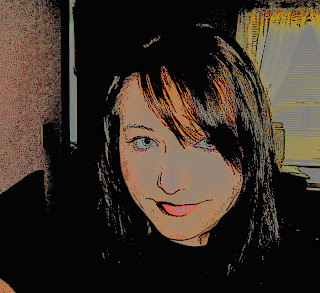
Pop Art
Sunday, October 10, 2010
Grunge Rock
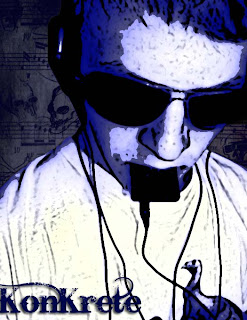
I took another one of my friends pics and selected the head and shoulders with the magic wand tool, then I made a copy of the selected area and made a dark blue fill layer. I posturized the edges and changed the color tones to blue, then I placed a grungy backgound and downloaded some grunge-sketch brushes. I also added some text at the bottom that I downloaded.
Subscribe to:
Posts (Atom)